The Complete Guide to PDF Tools: Simplify, Edit, and Manage Your Documents
PDF tools make it easier to create, edit, convert, compress, merge, split, and secure digital documents. Whether you're a student, freelancer, business owner, or office professional, using the right PDF utility can save time and simplify document management.
📝 QUICK SUMMARY
PDF utilities allow users to create, edit, merge, compress, convert, protect, and manage documents efficiently without expensive software.
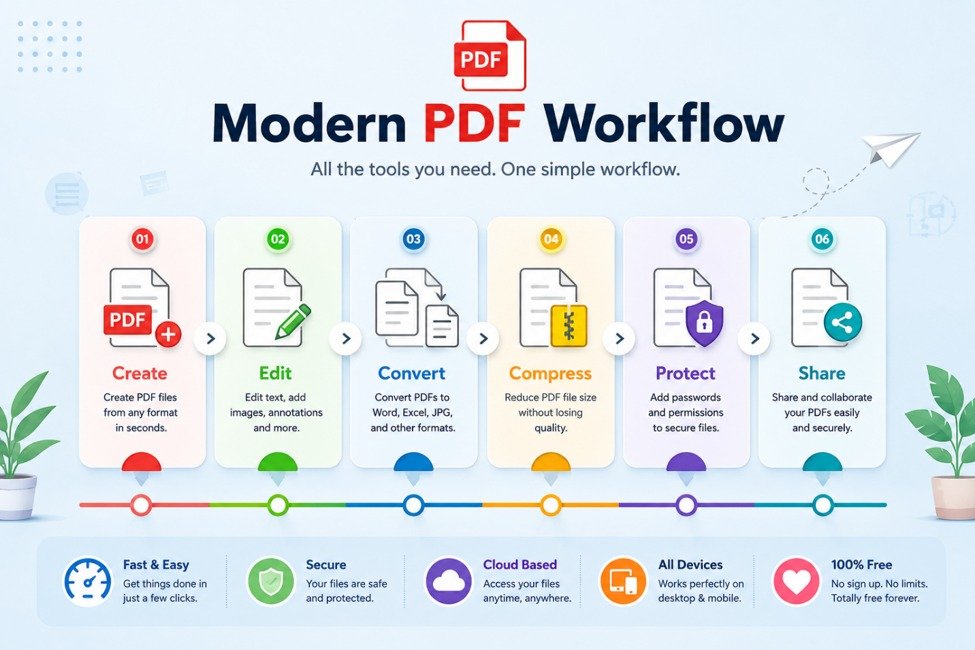
What Are PDF Tools?
PDF tools are online and desktop utilities designed to help users manage Portable Document Format files efficiently.
Instead of relying on heavy software, users can instantly convert, organize, compress, secure, and edit files directly through lightweight tools.
- Convert documents
- Merge multiple PDFs
- Split pages
- Compress large documents
- Extract images
- Secure important files
Why Are PDF Tools Important?
Digital documents have become a standard part of modern workflows.
Businesses exchange contracts, students submit assignments, freelancers send proposals, and organizations store important records in PDF format.
Who Can Benefit From PDF Tools?
Students organize assignments, businesses manage contracts, freelancers send portfolios, and individuals share personal documents faster.
Popular Types of PDF Tools
| Tool | Purpose |
|---|---|
| PDF to Word | Edit content |
| Word to PDF | Share files |
| Merge PDF | Combine documents |
| Split PDF | Separate pages |
| Compress PDF | Reduce file size |
| PDF to JPG | Extract images |
| Protect PDF | Secure files |
How PDF Tools Improve Productivity
PDF tools eliminate repetitive document tasks.
Instead of recreating files manually, users can complete actions instantly.
- 📈 Faster conversion
- 📂 Better organization
- 🗜️ Easier sharing
- 🔒 Improved security
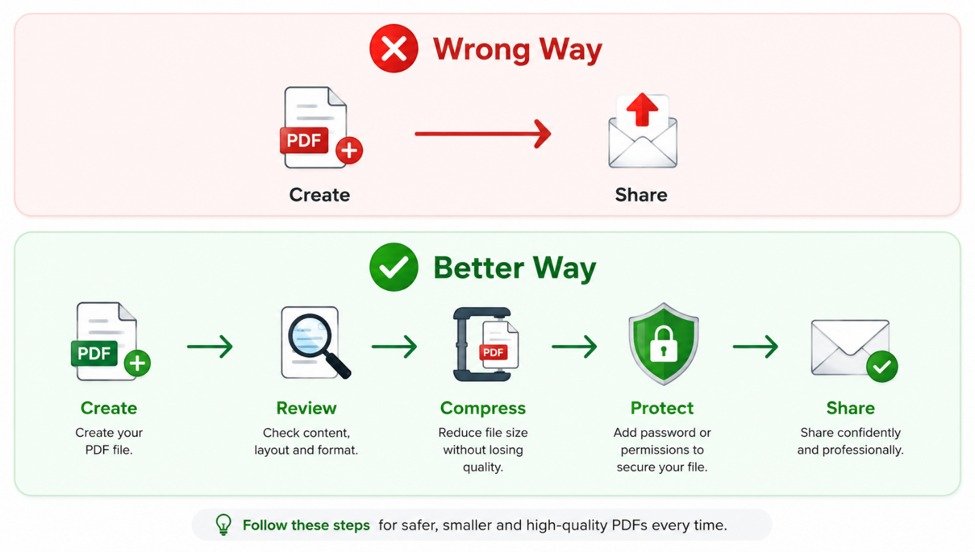
5 Best Practices for Managing PDF Files
- Compress files before sharing
- Keep original backups
- Protect sensitive documents
- Choose the correct conversion tool
- Organize folders properly
Common PDF Mistakes
- ❌ Sending oversized files
- ❌ Editing originals directly
- ❌ Ignoring security
- ❌ Poor quality conversions
- ❌ Disorganized storage
Explore More PDF Tools
Continue working with our free online PDF tools. Compress, merge, split, and convert PDF files directly in your browser without downloads or registration.